The class for anything a person reads on paper: multi-page proposals, reports, guides, registers, and pricing plans that end as a PDF. US Letter, flat white paper, a full-colour crest header bar over a navy rule, a running head, and page numbers. No weave anywhere. Text and tables lead; the page supplies no colour beyond ink, one navy rule weight, a Fog row tint, and a Mist table head.
Four doors, one question each. The Print row and this one are the pair that get confused, so answer the routing test below before you start a piece that could be either.
/
A member or a guest using a screenScreens/screens/
A flyer, an ad, a poster, or one printed sheet, graphic-ledPrint/print/
A multi-page proposal, report, or guide read as a PDFDocuments/documents/
More than one page, a running head, or page numbers means Documents. One sheet built from type, colour blocks, and the weave means Print.
Answer in order and stop at the first yes. There are two answers, Print and Documents.
Question 4 lands on the .sheet one sheet variant, which is a Documents component. A promotional one-sheeter has already answered yes at question 1, 2, or 3 and gone to Print.
Both sheets below are real .page elements from document.css, laid out at 8.5 by 11 inches and scaled onto the screen. Every size in them is a print size.

One sentence naming the venue, the season, and the single fact a reader needs before page 2.
The lede runs two or three sentences and is capped at 6.6 inches so the cover reads as a page rather than a wall. Everything under the rule is ordinary body copy at 10.5pt.
Cover. Full-colour crest at 96pt, kicker, Fabiola hero sized by its own character count, standfirst, one 2pt navy rule under the whole bar. No running head and no footer. Fabiola appears here and nowhere else in a document.
 Sample Report
How an interior sheet is built
Sample Report
How an interior sheet is built
Every sheet after the cover opens with the running head and closes with the footer. Nothing on the paper touches either one: every block clears both by real space.
Body copy runs the full content column, 7.4 inches. Two column body text is banned in this class, because at roughly 25 characters a line the copy breaks into short ragged lines while space pools at the foot of the sheet.
A flat Fog panel with a 3pt navy rule down its left edge and nothing else. Emphasis is a rule and a lead-in, never a filled box.
| Sample row | Count | Basis |
|---|---|---|
| First item | 000 | Sample |
| Second item | 000 | Sample |
| Total | 000 |
A note carries a caveat, the arithmetic behind a figure, or the thing a reader has to confirm. It never carries new facts.
Interior page. Running head with the simplified sTc mark at 22pt over a 1.5pt navy rule, the document title at the left and the section name at the right, then the eyebrow carrying the section number, the h2, body, and the footer pinned 0.18in off the bottom with a mono page number.
The rem and clamp() scale in tokens.css is the screen scale; it is sized against a viewport and is meaningless on a fixed sheet. Documents declares its own point scale, and every font-size in the class resolves to one of these. The floors in the last column are minimums, not targets.
| Token | Value | Where it goes | Floor |
|---|---|---|---|
| --text-doc-hero | clamp(32pt, 300cqi / --mast-chars, 120pt) | Cover h1, Fabiola, once per document, optional | 32pt |
| --text-doc-hero-inter | 34pt | Cover h1 on a document that carries no Fabiola | flat, takes no count |
| --text-doc-h2 | 22pt | Section opener, Inter 900 | 20pt to 24pt |
| --text-doc-step | 19pt | Step numeral, tabular, navy | |
| --text-doc-part | 15pt | Run-in part bar, not a section opener | |
| --text-doc-h3 | 13pt | Subhead, and the step body subhead | 12pt to 14pt |
| --text-doc-lede | 11.5pt | Cover standfirst and page lede | |
| --text-doc-h4 | 11pt | The closing block org line, and nothing else | |
| --text-doc-body | 10.5pt | Body, table cells, notes, captions | 10.5pt |
| --text-doc-label | 10pt | Eyebrows, table heads, callout labels, and h4 | 10pt |
| --text-doc-chrome | 9pt | Running head tag, footer, page number | 9pt, absolute |
The one sheet variant adds five more, --text-sheet-title, --text-sheet-head, --text-sheet-body, --text-sheet-note, and --text-sheet-chrome. Nothing outside .sheet may use them. Body holds at 10pt there. Chrome type and table heads run at 8pt and a note at 8.5pt, because a lookup table is not continuous reading. The section title is the one piece of that chrome which does not drop: it holds at 10pt on --text-sheet-head, so a reader scanning the sheet finds the block boundaries without reading them. An 8pt body was rejected outright.
h4 is a label, not a heading. It sets at the label size, 10pt, weight 700, uppercase and tracked, and it belongs over a tight list or a short block. Three heading steps plus an eyebrow on one sheet reads as four competing ranks. When you want a real subheader under an h3, there is not one: use h3. --text-doc-h4 survives at 11pt for the closing block org line alone.
Never a filled box. A navy patterned block floating on the paper is banned in every variation, at every size, at every opacity. When a shape keeps failing on rework, delete the shape rather than iterating on it.
Flat Fog panel, 3pt navy rule on the left edge, uppercase label. No border on the other three sides, no shadow, no radius.
Green rides the rule, never the lead-in text. Triumph Green does not carry small type on white paper, so the label stays navy. One per page at most.
Callout, accent, hint, quote. The four emphasis shapes in the class, and there is no fifth. Labels 10pt uppercase, panel padding 8pt by 11pt, the rule 3pt navy or 3pt green.
No navy ground behind body copy. No weave fill at any opacity. No border on the other three sides of a callout. No shadow. No radius, here or anywhere: the system radius is 0.
Nothing on the paper touches the running head or the footer. A block set flush to a rule reads as one broken shape with a notch cut in it.
Green rides the rule and never the lead-in text, because Triumph Green does not carry small type on white paper. One accent callout per page at most.
Mist head with a navy 0.75pt underrule, hairline rows, Fog on even rows, mono right-aligned figures, a quiet trailing column for classification, and a total row bounded by two 1pt navy rules. One value per cell. Never post a total whose arithmetic a reader cannot follow line by line.
| Line item | Units | Each | Sample total | Basis |
|---|---|---|---|---|
| First sample line | 000 | 000 | 000 | Placeholder |
| Second sample line | 000 | 000 | 000 | Placeholder |
| Third sample line | 000 | 000 | 000 | Placeholder |
| Sample total | 000 | 000 |
Basis. Every figure on this sample is a placeholder. Table headers wrap; a nowrap header widens the widest table past the page and Chromium then shrink-to-fit scales the whole PDF, which drops every size below the print floor at once.
Table. Head, rows, and the total row bounded by two navy rules. Cells 10.5pt, heads and captions 10pt, mono figures right aligned and tabular.
| Step | Value |
|---|---|
| Opening figure | 000 |
| Adjustment | 000 |
| Result | 000 |
| Step | Value |
|---|---|
| Opening figure | 000 |
| Adjustment | 000 |
| Result | 000 |
| Item | What is open | Next step |
|---|---|---|
| First open item | A one line statement of the gap, with no new facts in it. | A named person does a named thing by a named date. |
| Second open item | A one line statement of the gap. | A named person does a named thing by a named date. |
A next step that names nobody is not a next step.
Worked pair and register. Two tables in .cols2 when a reader has to compare one build against another, and the three-column register for what is still open. Two columns, never three: three gives about 25 characters a line.
No frame, no rule, no shadow: the system defines none of those. Four widths ship, 5.2in, 5.6in, 6.3in, and 7.0in. Pick the one that keeps the source above roughly 190dpi at print scale, and never upscale past native pixels or re-encode the source.
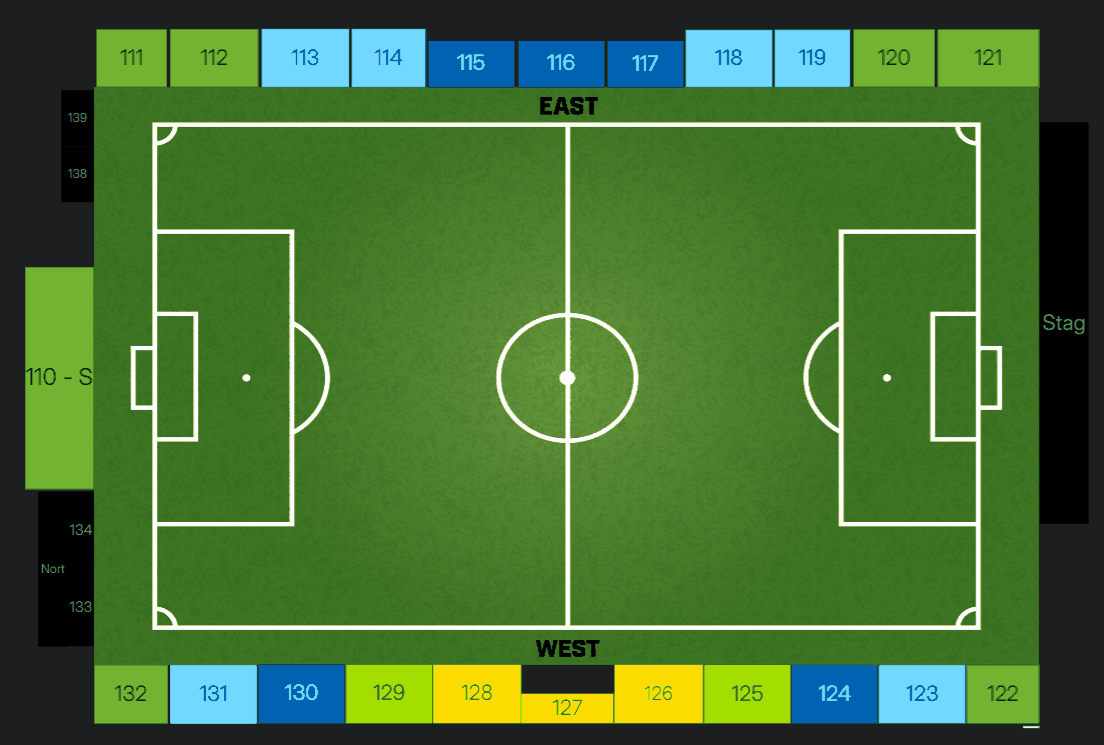
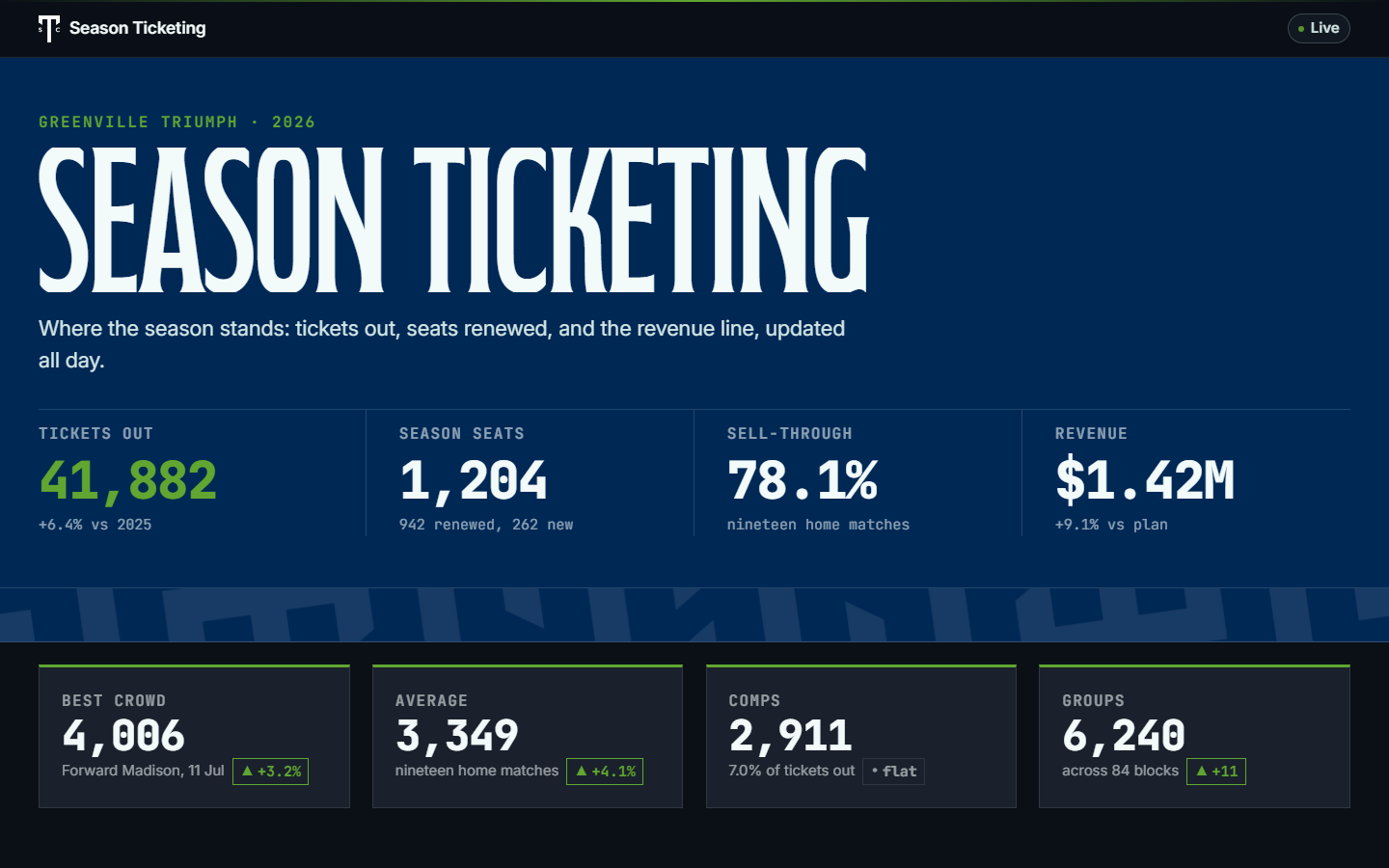
Screenshots only. A UI screenshot is white to its own edge, so it takes a 0.5pt hairline. An illustration, a render, a map, or a chart does not.
Figure and screenshot. The map runs at the default 6.3in with a centred caption at body size in the quiet ink. The screenshot below it is the one exception that takes an edge.
A landscape source is the safe stand-in when you are choosing a width, because a portrait source sizes by width and grows tall, so four widths read as four heights instead.
.figure.shot is the one component sized off the element. Set --w and --h inline, both measured from the source image, and set both or neither. Unset, they fall back to 5.2in by 3.2in so an unmeasured shot still draws at a sane size.
Three images that make one point share a .figure-row and one caption, each 1.62in tall.
A procedural guide runs on .part dividers and .steps rows. A part bar is a run-in divider, not a shrunken h2, and a document uses part bars or h2 sections at a given level, never both. The step number is navy, because green does not carry small type on white paper.
The copy centres against the screenshot. A two line instruction beside a 3in portrait shot leaves a dead white block under every step, which is why the row is centred rather than top aligned.
A hairline separates them. Nothing stretches to fill the sheet, because an evenly stretched step list reads as a table with the rules taken out.
The stack modifier drops the third column and returns the row to top alignment, so the screenshot sits under the instruction rather than beside it.
Part bar and steps. The part bar at 15pt, the step numeral at 19pt navy, and the step subhead at 13pt. Row 4 is the stacked row, top aligned with the shot under the copy instead of beside it.
A dense staff or client lookup table that fits one sheet by design, where spilling to a second sheet would make it wrong. It keeps the class grammar, white paper, a crest header bar, tokenised colour, and no weave, and it relaxes two things and only two: the crest drops to 40pt with a 1.5pt rule under the bar, and chrome type may run to 8pt. Body holds at 10pt. An 8pt body was rejected outright.
| Sample category | Column A | Column B | Column C | Note |
|---|---|---|---|---|
| First sample row | 000 | 000 | 000 | Placeholder |
| Second sample row | 000 | 000 | 000 | Placeholder |
| Third sample row | 000 | 000 | 000 | Placeholder |
| Fourth sample row | 000 | 000 | 000 | Placeholder |
| Fifth sample row | 000 | 000 | 000 | Placeholder |
| Sixth sample row | 000 | 000 | 000 | Placeholder |
| Sample category | Column A | Column B | Column C | Note |
|---|---|---|---|---|
| Seventh sample row | 000 | 000 | 000 | Placeholder |
| Eighth sample row | 000 | 000 | 000 | Placeholder |
| Ninth sample row | 000 | 000 | 000 | Placeholder |
| Tenth sample row | 000 | 000 | 000 | Placeholder |
| Eleventh sample row | 000 | 000 | 000 | Placeholder |
| Twelfth sample row | 000 | 000 | 000 | Placeholder |
| Sample category | Column A | Column B | Column C | Note |
|---|---|---|---|---|
| Thirteenth sample row | 000 | 000 | 000 | Placeholder |
| Fourteenth sample row | 000 | 000 | 000 | Placeholder |
| Fifteenth sample row | 000 | 000 | 000 | Placeholder |
| Sixteenth sample row | 000 | 000 | 000 | Placeholder |
| Seventeenth sample row | 000 | 000 | 000 | Placeholder |
| Sample total | 000 | 000 | 000 |
Every value on this sheet is a placeholder. The variant gets no colour literals of its own, no fallback font stacks, and no green that is not in the seven.
One sheet, crest 40pt. Title 16pt Inter 800, body 10pt, chrome 8pt, and a 1.5pt navy rule under the bar. It carries a header bar and one centred footer line instead of a running head and a page footer.
Chrome type on this variant runs at 8pt because a lookup table is not continuous reading. The section title is the exception: it holds at 10pt on --text-sheet-head, so a reader scanning the sheet finds the block boundaries without reading them.
The variant keeps the 11in page box for the same reason .page does. A sheet defined by fitting on one sheet has to spill where the build's page-count assert can see it, rather than clipping the last row and passing every check.
Pin one set of column positions down the whole sheet with a fixed table layout and the same colgroup on every table. Auto layout sizes each table from its own longest cell and steps the columns sideways between sections.
Link the three sheets in this order, always. There is no pattern.css in this folder and there is no components.css: the Print components are screen and flyer atoms, and a document uses the classes in document.css.
tokens.cssByte copy of print/tokens.css. The seven brand colours, the ink ramp, and the Fabiola and Inter metric overrides. Never edited here.logos.cssByte copy of print/logos.css. The lockups and the GE Vernova Park padding crop.document.cssThe grammar this system owns: page box, cover bar, running chrome, the point scale, headings, tables, callouts, figures, contents, step rows, and the one sheet variant._ds.document.html skeleton, the config, and the build, verify, and completeness checks in archive\.